
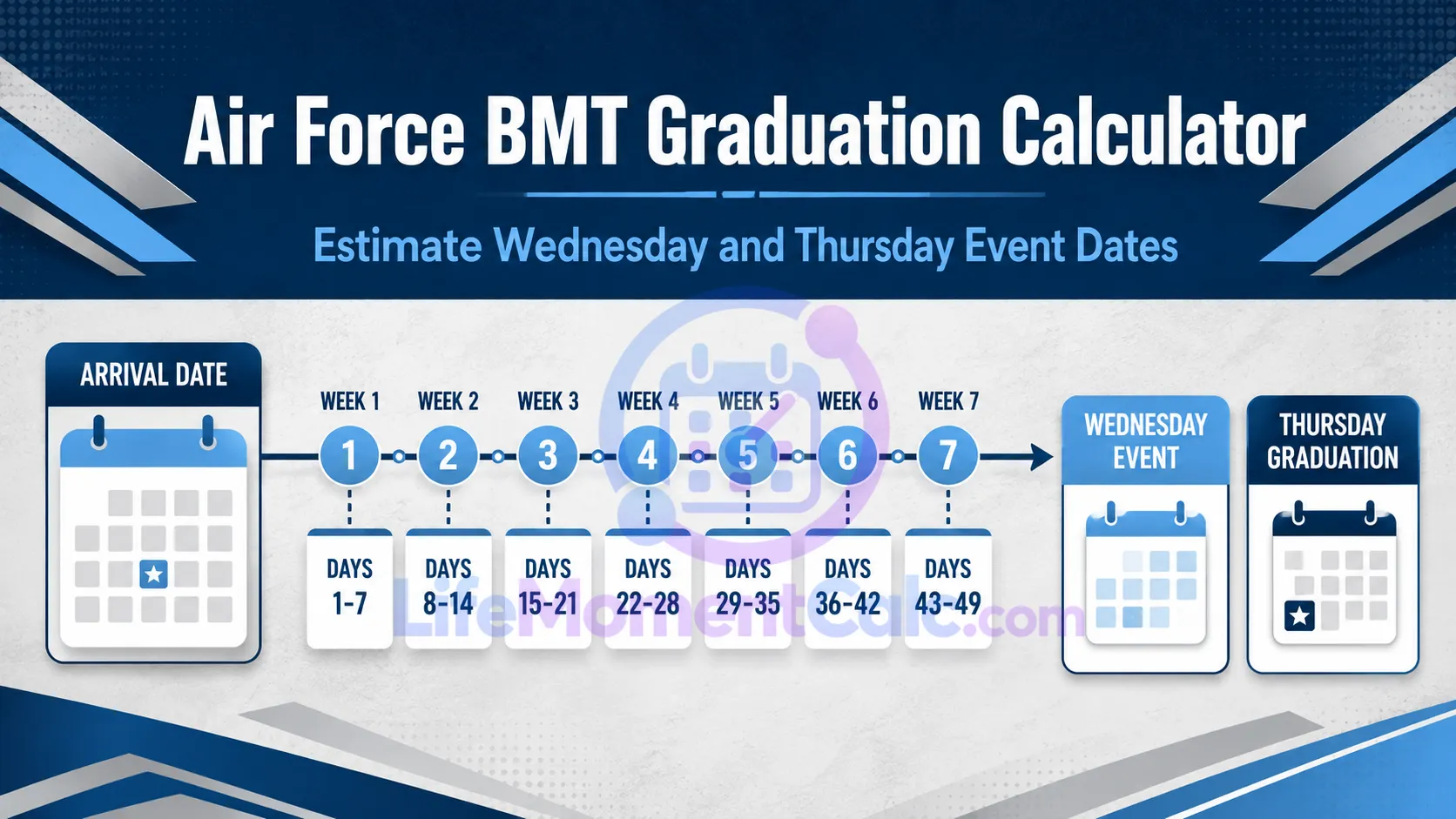
The Air Force BMT Graduation Calculator estimates graduation week from a trainee’s arrival or ship date. Standard mode follows the published planning pattern of approximately 7.5 weeks of training and a graduation parade normally occurring on the seventh Thursday after arrival.
The result also shows the preceding Wednesday event date, elapsed days from arrival, and whether the entered arrival occurred on Tuesday—the standard Zero Week arrival pattern. Every result remains an estimate requiring official confirmation.
Estimate the Wednesday/Thursday graduation week from an arrival date, with a configurable fallback for official schedule changes. Air Force BMT states that training is 7.5 weeks, arrivals are usually Tuesday in Zero Week, and the graduation parade is almost always Thursday. The standard mode estimates the seventh Thursday after arrival and shows the preceding Wednesday event date. Holiday observances, training delays, medical holds, weather, or official schedule changes can move events. The trainee’s commander letter and the official Air Force BMT graduation pages are authoritative. Do not book non-refundable travel based only on this estimate.Air Force BMT Graduation Calculator
Estimated BMT graduation week
Current standard estimate
Confirm before travel
Use the Arrival Date from the Trainee’s Information
Enter the actual arrival or ship date available from the trainee’s communication. Standard mode is best for an initial estimate when no official graduation date has been received.
Most trainees normally arrive on Tuesday, but the tool accepts other weekdays and flags them for verification. A different arrival weekday may indicate that the wrong date was entered or that the week follows an unusual schedule.
Custom mode is available when an official change provides a different duration or graduation weekday. Do not use custom values merely to force the calculator to match an unverified guess.
Formula Used for the Standard BMT Estimate
The implemented calculation begins by adding 49 days to the arrival date:
Base date = Arrival date + 49 days
It then finds the first Thursday on or after that base date:
Estimated graduation = Next Thursday on or after Base date
The preceding event date is:
Wednesday event date = Estimated graduation − 1 day
For a standard Tuesday arrival, adding 49 days reaches Tuesday seven weeks later. The next Thursday occurs two days after that base, matching the seventh-Thursday planning rule.
The detail panel also calculates:
Elapsed days = Estimated graduation date − Arrival date
Custom mode instead uses:
Custom base date = Arrival date + Selected training days
Custom graduation = Selected weekday on or after Custom base date
Why the Result Shows Wednesday and Thursday
Current graduation information presents events across Wednesday and Thursday. The estimated Thursday corresponds to the graduation parade, while the preceding date identifies Wednesday activities.
The tool does not attempt to reproduce current event times, access procedures, locations, liberty rules, or flight-specific details. Those items may change more frequently than the general planning formula.
Use the result to identify a likely week, not to build a final itinerary.
Tuesday Arrival Check
The output states whether the arrival weekday is Tuesday. A Tuesday result aligns with the standard arrival pattern.
A non-Tuesday date is not automatically invalid. Holiday movement, unusual processing, date-label differences, or official schedule changes may explain it. However, the warning is a reason to recheck the source date before making plans.
Factors That Can Move Graduation
The expected schedule can change because of:
- Holiday observances
- Training delays
- Medical or administrative holds
- Weather or safety conditions
- Operational requirements
- Official changes to the event calendar
- Individual trainee progression
The calculator has no access to a trainee’s status or internal schedule. It cannot determine whether someone remains with the originally expected training group.
Confirm Before Booking Travel
The trainee’s commander welcome letter and current official graduation information should control planning. Confirm the week, access requirements, event dates, and guest procedures before purchasing travel.
Avoid non-refundable flights, accommodation, rental vehicles, or event services based only on this estimate. Even when the calculated week matches the standard pattern, individual or official changes can occur.
Check current identification and installation-access requirements as part of travel preparation. These requirements are outside the date formula and may change.
Reading the Result Panel
The headline shows the estimated graduation-parade date. Supporting rows provide the preceding event date, total days from arrival, and weekday validation.
If custom mode is selected, interpret the output according to the official duration and weekday supplied. Record why the custom value was used so it is not mistaken for the standard rule later.
Frequently Asked Questions
Is the result an official graduation date?
No. It is a planning estimate based on the selected rule.
Why does standard mode use 49 days and then find Thursday?
Forty-nine days reaches the same weekday seven weeks later. The next-Thursday step aligns the date with the standard seventh-Thursday guidance.
What if the trainee arrived on Monday or Wednesday?
Recheck the date and rely on official communication. The tool will still calculate an estimate but flags the non-Tuesday arrival.
Does the calculator know about a trainee’s hold?
No. It has no access to personal training status or military records.