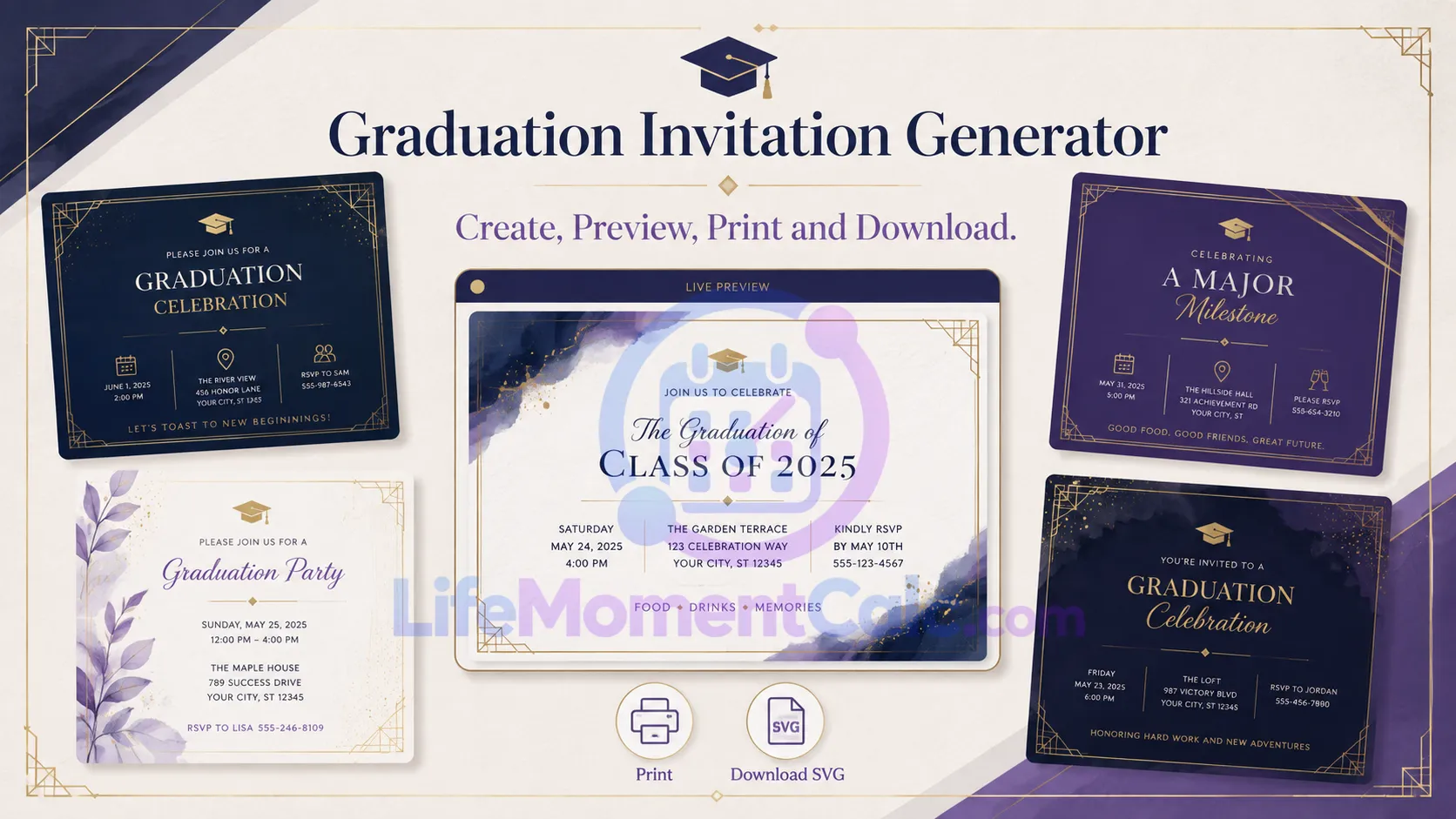
The Graduation Invitation Generator helps turn confirmed ceremony details into a clear, personalized invitation. Enter the graduate’s name, achievement, institution, event date, venue, and optional details to create a live preview.
Four original themes provide different visual directions without requiring design software. The completed invitation can be printed or downloaded as a scalable SVG, while the entered event information remains in the browser.
Create an original, responsive invitation with live preview, print support, and a scalable SVG download. Please join us in celebrating this achievement. A useful invitation identifies the graduate, achievement, institution, date, time, venue, and any RSVP instruction. Review the generated design carefully before sharing, particularly dates, spelling, accessibility details, and venue rules. The preview and downloadable SVG are created locally in the browser. No names, school details, event locations, or RSVP information are sent to this plugin’s server.Graduation Invitation Generator
DateTimeVenueWhat to include
Private and portable
Gather Confirmed Information First
Before designing the invitation, confirm:
- Graduate’s preferred name
- Degree, certificate, diploma, or achievement
- School or institution name
- Ceremony or celebration date
- Start time
- Venue and usable address
- RSVP deadline and contact method
- Any accessibility, parking, or entry information
The tool requires the graduate, achievement, institution, event date, and venue. Time and RSVP details are optional, but omitting necessary information may create extra questions for guests.
If the graduation year is still being projected rather than confirmed, use the Graduation Year Calculator for planning and wait for official event information before sending invitations.
Generation Method Used by the Tool
This generator does not call an external design or artificial-intelligence service. It uses the entered fields to update predefined, original invitation components in the browser.
The content structure is:
Invitation = Heading + Graduate + Achievement + Institution + Date and time + Venue + Message + Optional RSVP
The selected theme changes the visual presentation while preserving the same information hierarchy. Available themes are Indigo Modern, Violet Classic, Midnight Gold, and Minimal Paper.
When Update preview is selected, text fields are inserted as plain content rather than interpreted as webpage markup.
For SVG download, special XML characters in the text are escaped before the scalable graphic is created. This prevents entered characters such as <, >, &, quotation marks, or apostrophes from breaking the SVG structure.
Choosing an Invitation Theme
Indigo Modern works well for a contemporary academic event. Violet Classic provides a more formal appearance without copying traditional institutional branding.
Midnight Gold creates a ceremonial look suited to evening celebrations, while Minimal Paper emphasizes readability and restrained decoration.
Theme choice should support the event rather than compete with essential details. Check contrast, text size, and spacing after entering the final wording.
Avoid adding a school seal, logo, or copyrighted mark unless you have permission to use it.
Writing a Clear Personal Message
A useful invitation message is brief and direct. It may express pride, invite the recipient to celebrate, or acknowledge the significance of the achievement.
Avoid repeating the date, time, and venue in a long paragraph when those details already have dedicated fields. Repetition increases the chance of conflicting information after an edit.
If the event has a guest limit, dress expectation, security requirement, or separate reception, explain it through additional accompanying text when it will not fit clearly in the invitation.
Reviewing the Live Preview
Check every field character by character, especially:
- Spelling of the graduate’s name
- Official degree or program title
- Institution name
- Day, month, and year
- Local time and time zone
- Venue spelling
- RSVP deadline and contact details
Print or view the design at its intended size. Long single-line values may need shortening even when they fall within the accepted character limit.
SVG Download and Printing
SVG is a scalable vector format, allowing the invitation to remain sharp at different dimensions. However, font rendering and printing can vary among browsers, printers, and design applications.
Open the downloaded file before distribution. Confirm that no text is clipped and that colors remain readable.
For professional printing, ask the printer whether SVG is accepted or whether a converted PDF is required. Do not assume screen colors will reproduce identically on paper.
Privacy and Sharing
Names, school details, venue information, and RSVP text are processed locally by this tool. No account is required.
Once downloaded, printed, emailed, or posted, the invitation is subject to the privacy settings of the destination. Avoid publishing a home address, personal phone number, or private ceremony details on an unrestricted social page.
Frequently Asked Questions
Does the generator save the invitation?
No. Download or print the result before leaving if you want to retain it.
Can the SVG be edited?
Yes. Compatible vector-editing software can open SVG files, although font substitutions may affect the layout.
Does the tool send invitations?
No. It creates the design; distribution remains under your control.
Can it be used for a private celebration instead of a ceremony?
Yes. Enter the celebration’s confirmed date, time, and venue.